Thursday, September 10, 2009

After Effect / Simple way to create menu with an animated background

This is a summary of the steps to create a simple dvd menu using Encore / AfterEffects / Photoshop:

AfterEffects
  • First create the animation in After Effects, including the menu writing or movie thumbnails or anything that will be appearing as the menu screen of the dvd.
  • Save the image layers at (/after) the looping point, do "Composition" / Save Frame as / Photoshop layers
  • Render the movie
Photoshop
  • Open the saved frame file in photoshop, so you have a background on which to draw your buttons
  • Create a layer for each of the menu button, like a highlighted bounding box or something like that
  • Name each of those layers with appropriate name, preceded by: (=1)
  • Get rid of all other layers, so that only the (=1) named layers are left
Encore
  • In Encore, Import the movie and put it in a timeline
  • Import the psd file as menu
  • Select the menu
  • Under the layers panel, for each button layer, activate it as a button by clicking on the button little square checkbox (next to the lock checkbox)
  • Under the menu / Motion tab => use the pick whip to link to the movie file, do the same for the audio.
  • In the 'Loop Point', set the time to where the movie should loop from
  • Ctrl/Right click this menu and set it as "first play"
  • In the flowchart, link each button to whichever asset
  • Don't forget to set the 'end actions' for each asset

Wednesday, September 9, 2009

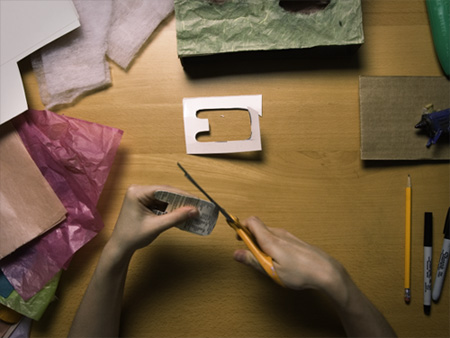
Inspiration: Animation from "Tiny invenstions"


This is a really cool animation...
http://tinyinventions.com/animation/electriccar.html


Cardboard and all sorts of crafty stuff used, check the creation process in their blog: http://tinyinventions.com/blog/

Monday, September 7, 2009

Creating a "Mood Board"


This 'from the couch' video gives ideas on how to go about doing a 'mood board' in the early design phases: http://www.from-the-couch.com/post.cfm/title/creating-an-effective-mood-board
Basically:
* create a wireframe layout
* pick colour themes
* find inspirational ideas / design / websites (and write in detail why they are)
* find textures / images that will set the 'mood'
* put together all of it in a clean professional doco to present to the client

Creative cow website


Creative cow is a peer to peer support community for media production. Packed with video tutorials on all Adobe CS.

High dynamic Range Photography technique...

Photoshop has a built in HDR assembler, here is a quick summary of the steps:
  • Take at least 3 photos of subject while bracketing (eg over / under expose changing the shutter speed, !not! the aperture), preferably using a tripod (Photoshop will more or less compensate for camera shake otherwise).
  • Open the photos in Photoshop
  • Click File > Automate > Merge to HDR.
  • This saves the image as a pbs / 32 bits per channel.
  • Convert to 16 bits per channel (for a print format), adjusting histogram / tonal range (local adaptation)
  • or convert to 8 bits per channel (for a jpg/ screen only)
A more detailed tutorial: http://www.backingwinds.blogspot.com/2006/10/how-to-create-professional-hdr-images.html